
I see this question asked occasionally and it makes no sense at all. Let’s just say for reference we are speaking strictly within a DAW.
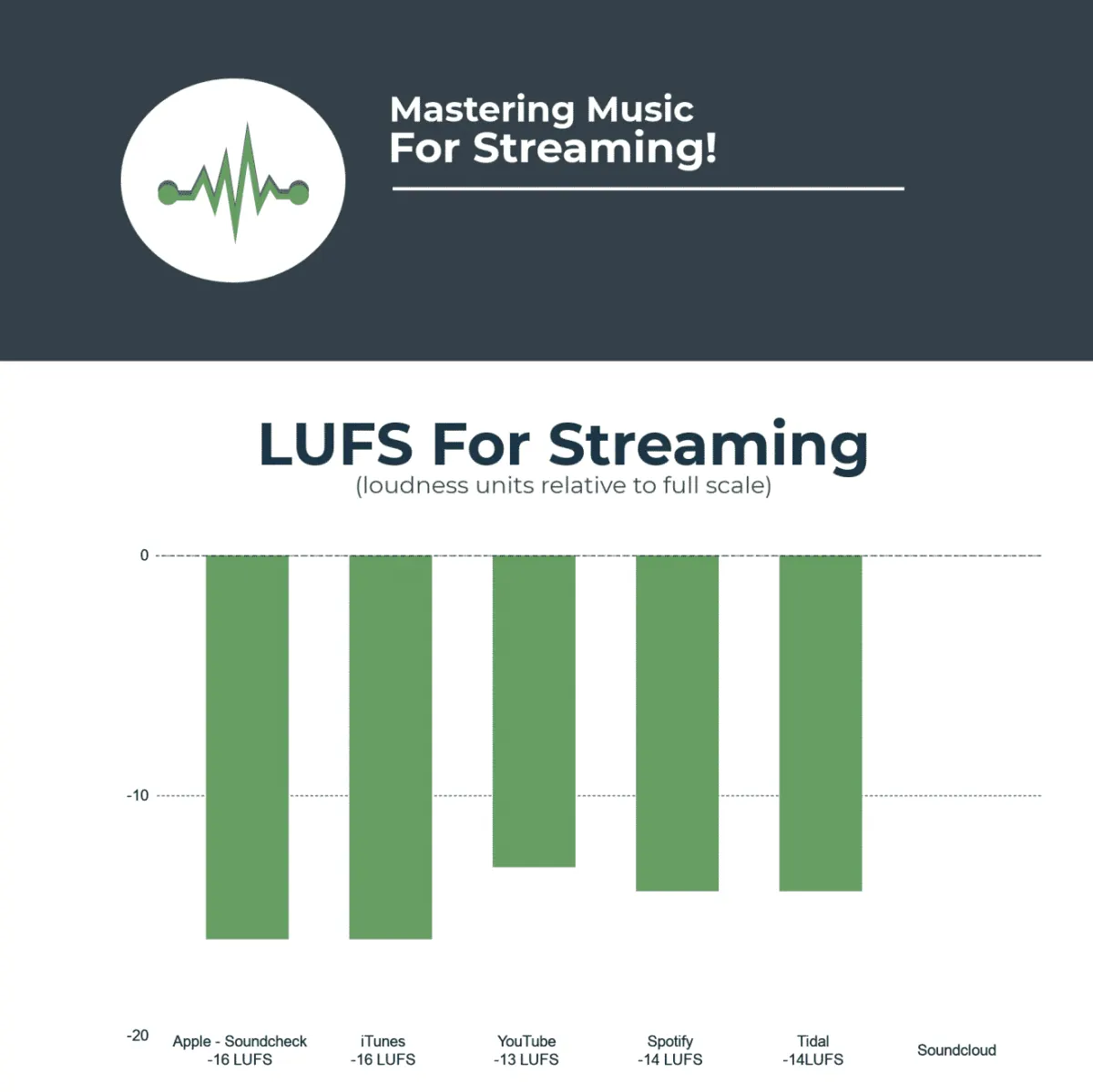
You’re looking for 2 measurements here…
1- dbtp (true peak)
2- Lufs (loudness)
DBTP
dbtp- measures your true peak. This is the highest point of the waveform and the loudest your meter measurement will read within a DAW. As your meters are dancing up and down, you will notice one measurement that stands above the rest, it is typically the one that (if your meter is set up to “hold”) will show you the highest point in which the signal reaches. For short purposes here, we are not going to get into ISP’s (Inter Sample Peaks). We will save that for another cartoon.
LUFS
LUFS- Loudness (lufs) which is the overall loudness of your track. It is not similar to the measurement like true peak, it differs in that it is measuring the perceived loudness. Not the highest point in the peak. It is averages and those averages are calculated as such:
Lufs INT- The integrated value. This takes an average from the whole song and gives you the total sum.
Lufs Short term: Usually a calculation taken from the last 4 seconds. This measurement is critical at times when you have a song that may look great in the integrated spectrum but your short term is -5 lufs.
Momentary:
Think of momentary as “In the moment” it is the now. It is the real time measurement happening live in the track as you see it.
Here are my personal theories.
You want your final master to typically fall around -1dbtp.
You want your INT lufs (for Rap) to be in the area of -10 to -8.
Dance music a little higher. EDM even higher than that.
These numbers however are simply a guide, many mastering engineers believe it is imperative to stay within the -14 lufs value that is suggested by many streaming sites. I however, have never been one to stay between the lines when drawing in a coloring book.
If you are not familiar with Lufs. Download the Youlean free plug in. Learn it like it was the most important technique in your workflow because without measurements, you are simply doing shorting yourself. It is perfectly fine to just “use your ears”. But sometimes our ears lie. Use the tools you have. Like this plug in. Youlean lufs meter.
Youlean loudness meter (free plug in)
Youlean Loudness MeterMaster for Music, Not Just Meters
Streaming services will normalize your track regardless, so audio mastering should chase tone and impact, not numbers. Good audio engineering means leaving dynamic headroom, checking translation across systems, and protecting audio quality through every converter in the music distribution chain. Hit a sensible LUFS window, keep true peaks under control, and the platforms will treat your master kindly.